On this page
Same measurements, different display colours
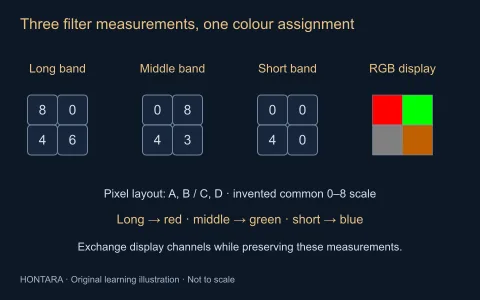
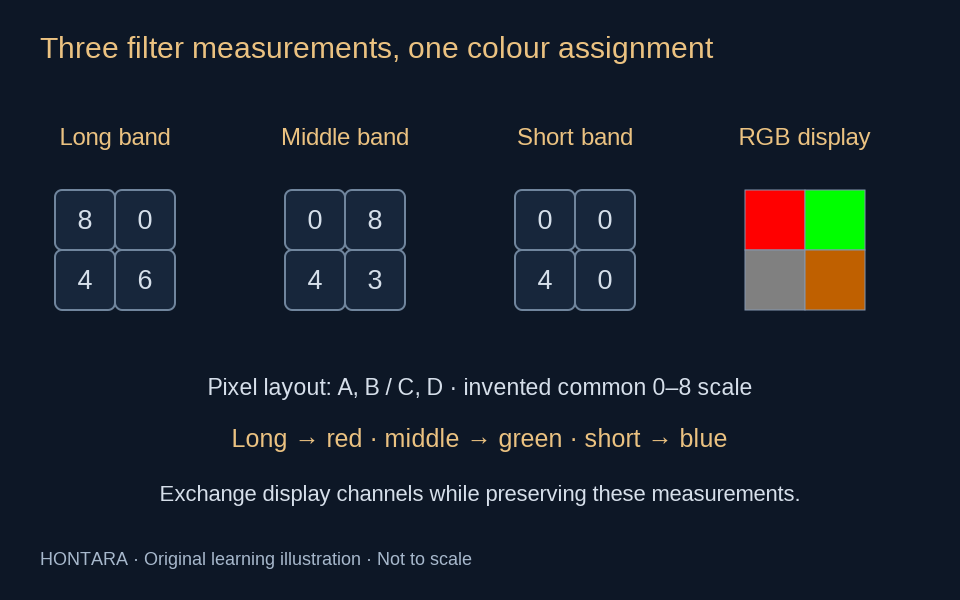
Four invented pixels use long, middle and short filter-band intensities on the same 0–8 scale. Change the display assignment while keeping those measurements fixed.
Long → red, middle → green and short → blue. All pixels use the same linear scale.
These are invented normalised intensities, not observations of a real object. Screen RGB values are rounded to integers from 0 to 255. This is additive display colour, not a paint-mixing experiment or a claim about naked-eye appearance.
THE BIG IDEAS
- Colour assignment can change while filter measurements stay fixed.
- Use a common scale when comparing assignments.
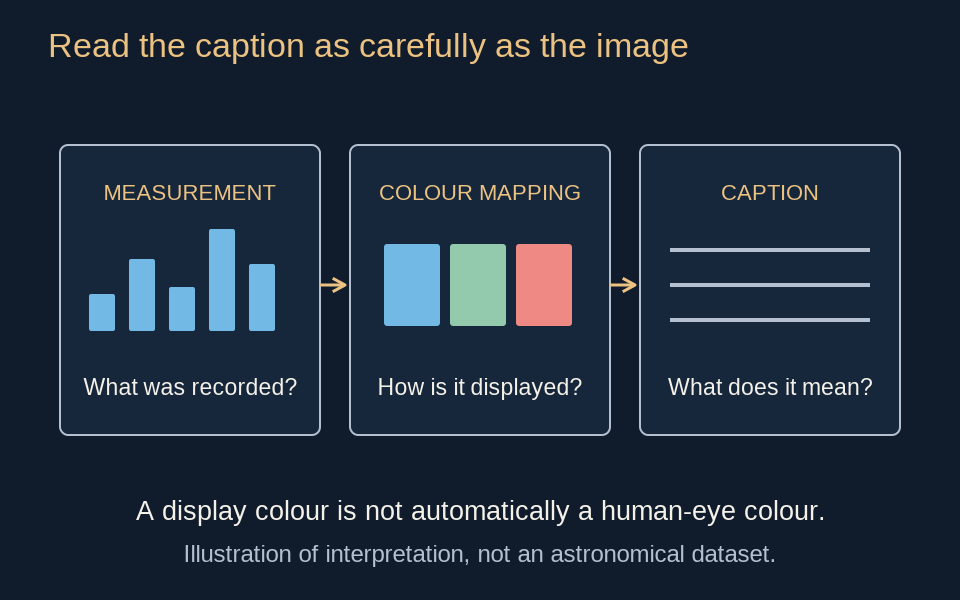
- An informative caption connects the display to the underlying channels.
Keep the measurements fixed
Use four pixels arranged A,B / C,D. Each has three invented relative intensities in long-, middle- and short-wavelength filter bands. A is 8,0,0; B is 0,8,0; C is 4,4,4; D is 6,3,0. All bands share the same 0–8 intensity scale.
These are normalised teaching values, not observations of a named object. The band names establish an order but do not specify real filter wavelengths. Copy the triples before selecting a display colour so a change in presentation cannot silently become a change in data.
Make a first display assignment
Assign the long band to screen red, the middle band to green and the short band to blue. Convert each channel using round(255 × intensity/8). Pixel A becomes RGB 255,0,0; B becomes 0,255,0; C becomes 128,128,128; D becomes 191,96,0.
Use the on-page model to inspect those display tiles. If working on paper, label the numerical RGB triples instead of trying to reproduce exact screen colours with coloured pencils. Pigment mixtures are not the same physical process as adding red, green and blue screen light.
Exchange two assignments
Now map long to blue and short to red, leaving middle mapped to green. Pixel A becomes blue, B stays green and C stays grey. D changes from the warm-coloured 191,96,0 to 0,96,191. The three filter values at each pixel remain unchanged.
Record both RGB triples side by side. Explain why equal-channel pixel C remains neutral while A changes hue dramatically. Neither display choice has discovered a change in the source; you have changed the relationship between measurements and screen channels.
Keep scale changes separate
Both mappings use the same common linear scale, with intensity 8 mapped to 255. Do not independently rescale each band during this comparison. A different stretch or per-band normalisation would introduce another variable and could change the balance between channels.
Changing the assignment can help highlight different structures in real multi-filter data, but it does not by itself identify a chemical element or establish a temperature. That interpretation depends on the actual passbands, source physics and relevant calibration.
Write the caption you would need
Write a short caption giving the invented-data status, the filter order, the RGB assignment and the common scale. Add that the display is not a claim about naked-eye appearance. Ask another group whether your caption lets them reconstruct the mapping.
Finish by separating two statements: the recorded long-band intensity at A is 8 in the model; A is displayed red in the first mapping. The first describes a measurement value in this exercise and the second describes a presentation choice.
PAUSE AND THINK
Does changing pixel A from red to blue establish that its physical temperature changed?
Explore the answer
No. Only the display assignment changed. The same invented channel values were mapped to different RGB channels; no new physical measurement was made.
RECORD YOUR OWN EVIDENCE
Your activity sheet
You need: Paper, pencil and the colour model on this page, or the printed channel triples for a calculation-only task.
Use long, middle and short filter values A=(8,0,0), B=(0,8,0), C=(4,4,4) and D=(6,3,0). First map long to red, middle to green and short to blue. Then exchange the long and short display assignments without changing the values.
Name or group: Date:
| Pixel | Filter values | First display RGB | Exchanged display RGB |
|---|---|---|---|
| A | 8, 0, 0 | ||
| B | 0, 8, 0 | ||
| C | 4, 4, 4 | ||
| D | 6, 3, 0 |
Which pixels change hue when red and blue assignments are exchanged?
Why does pixel C remain grey under either assignment?
Write a caption that identifies these values as invented and states the colour assignment.
Apply one common linear scale: display channel = round(255 × intensity/8). These screen colours are additive RGB, not paint mixtures.